The best WordPress AI translation plugin is the one that fits how your site grows. For most small and growing sites, that means AI translation in context, translations that follow your edits, and a bill that doesn’t rise with every word. WPML, Weglot, TranslatePress, Polylang and GTranslate all translate with machines or AI. They differ most in pricing, storage and editing.
We make TranslateWP, so we’re not neutral. We’ll still say plainly where another plugin is the better pick. Prices and limits below were checked on the vendors’ own pages on 10 November 2026.
Which plugin suits which kind of site?
Which plugin suits your site depends on its size, budget and how you edit. Here is the direct answer, plugin by plugin:
- A growing site that wants AI translation without word-count billing, within a 30-day fair-use allowance: TranslateWP.
- A larger site with an editing team: WPML.
- A small site that wants a hosted service and a fast start: Weglot.
- A site that wants to translate visually on the page: TranslatePress.
- A site that wants each translation as its own WordPress post: Polylang.
- A quick test on a tight budget: GTranslate.
How to choose a WordPress AI translation plugin
To choose a WordPress AI translation plugin, start with five criteria that matter for AI translation. They separate the options faster than any feature list.
- How is it billed? Per word, per language, per site or flat. Word-count billing means your bill grows when you publish more.
- Where do translations live? In your WordPress database, as separate posts, or on the vendor’s servers.
- Can you correct the AI? Look for a glossary for brand terms and an editor for fixing a sentence.
- Do search engines see the translations? You want a language address and hreflang tags for each translated page.
- What happens when you edit the original? Good plugins pick up the change and translate it again.
The main AI translation plugins compared
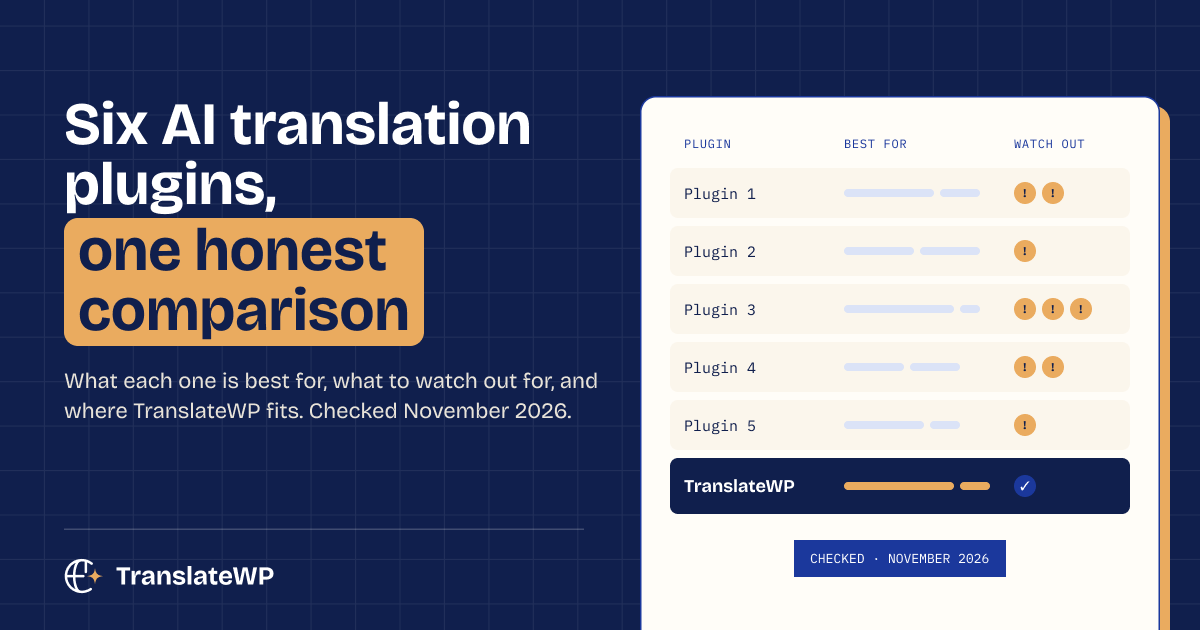
Each WordPress translation plugin below can translate automatically, but they suit different sites. This table sums up what each vendor’s own site says.
| Plugin | Best for | Watch out for |
|---|---|---|
| TranslateWP | Growing sites that want AI translation without word-count billing | Every plan has a 30-day fair-use AI allowance; on-page editing of translations is an Orbital feature |
| WPML | Larger sites that want a side by side translation editor and AI translation through WPML’s own engine, PTC | Paid only, from €39 a year. AI translation comes with Multilingual CMS (22,500 words) and Agency (45,000 words), topped up at each renewal |
| Weglot | Owners who want a hosted service and a fast start | Priced by words and languages: Starter covers 10,000 words and 1 language, Business 50,000 words and 3 languages |
| TranslatePress | Translating visually on the front end, with translations stored on your site | AI words included per plan: 50,000 on 1 site, 200,000 on 3 sites, 500,000 on unlimited sites |
| Polylang | Sites that want each translation as a normal WordPress post | Automatic translation needs Polylang Pro and your own DeepL API key |
| GTranslate | A quick, cheap start | The free widget doesn’t change URLs or store translations |
Prices and limits as listed on each vendor’s site on 10 November 2026, excluding VAT. WPML, Weglot, TranslatePress and Polylang list prices in euros; GTranslate and TranslateWP list them in US dollars.
How each plugin prices AI translation
Each plugin prices AI translation differently, and the word limits matter as much as the starting price.
WPML is a paid plugin with three plans: Multilingual Blog at €39, Multilingual CMS at €99 and Multilingual Agency at €199 a year, according to WPML’s pricing page. AI translation isn’t part of Multilingual Blog. Multilingual CMS includes 22,500 AI translation words and Agency 45,000, topped up at each renewal. The WPML automatic translation guide explains how PTC, WPML’s own engine, uses your terminology and tone.
Weglot is a hosted service priced by words and languages. The Weglot pricing page starts every plan with a 14-day free trial. After that, the free plan covers up to 2,000 words in 1 language. Starter costs €15 a month for 10,000 words and 1 language, and Business €29 a month for 50,000 words and 3 languages. The word totals are fixed limits that don’t renew. Weglot’s WordPress.org listing says translations are stored on Weglot’s servers.
TranslatePress lets you translate on the live page, and paid plans add TranslatePress AI. The TranslatePress pricing page lists Personal at €99 a year for 1 site and 50,000 AI translated words, Business at €199 for 3 sites and 200,000 words, and Developer at €349 for unlimited sites and 500,000 words. Its automatic translation docs say each string is translated once and stored in your database.
Polylang creates a separate WordPress post or page for each translation, as its WordPress.org listing describes, and the core plugin is free. Automatic translation comes with Polylang Pro, from €99 a year, which connects to DeepL with your own API key, per the Polylang pricing page.
GTranslate offers a free widget that translates in the browser. The GTranslate pricing page says the free version doesn’t change your URLs or store translations. Paid plans, from $12 a month, add AI translation, translated URLs and search engine indexing.
Is the cheapest WordPress translation plugin cheapest over time?
The cheapest WordPress translation plugin on day one isn’t always the cheapest a year later, because word-count billing is the part of the price that changes as your site grows. A plan that looks cheap for a ten page site can cost more once you add a blog, a shop or a second language. Before you buy, multiply the words on your site by the number of languages you want. Then check which plan’s word limit that total lands on.
That test is why we built TranslateWP without word-count billing. Instead, every plan has a fair-use allowance for hosted AI translation per 30 days.
Who TranslateWP suits
TranslateWP is a WordPress plugin for context-aware AI translation that keeps your brand voice intact, with unlimited websites and languages and no word-count billing. We sell it online, worldwide. Every plan covers unlimited websites and languages, and every plan includes a fair-use allowance for hosted AI translation per 30 days, with the numbers due around December 2026. Terrestrial is free. Orbital (Pro) costs $119 a year, $12 a month or $499 once, as listed on our pricing page. Until 7 December 2026, Orbital is $59 a year (renewing at $59) or $249 lifetime, as set out on our founders offer page.
TranslateWP suits growing sites that publish often and don’t want a bill tied to their word count. TranslateWP translates your key pages at setup and the rest on their first visit. Translations follow your edits, and a Lexicon pins how your product names are translated.
Who TranslateWP doesn’t suit
- Sites that want every translation as a separate post to edit by hand. Polylang fits that better.
- Teams that can’t send page content to an outside service. TranslateWP needs its online service on every plan, including the free one.
- Sites that need to edit translated text on the page. On-page editing of translations is an Orbital feature. On Free, you guide translations with the Lexicon and tone presets.
- Buyers who want a plugin with years of releases behind it. TranslateWP is new: the current version, as listed on WordPress.org, is 1.0.3. It comes from the team behind Code Snippets, trusted on more than a million WordPress sites.
Common mistakes when picking a translation plugin
The biggest mistake is judging a plugin by one translated page. Test your real content instead: a product page, a form and a menu. Other common slips:
- Ignoring renewal and word limits until the second year.
- Forgetting that a page cache must keep each language address separate.
- Skipping a glossary, then fixing the same brand name in every language.
For a broader look at the same options without the AI focus, read our comparison of WordPress translation plugins.
FAQ
Is AI translation good enough for a business website?
WordPress AI translations handle most website copy well when the AI has context about your site. Have a native speaker check your most important pages, such as pricing and checkout, before you promote them.
Which WordPress translation plugin is free?
Polylang, TranslatePress and GTranslate have free versions, and TranslateWP has a free Terrestrial plan with a 30-day fair-use AI allowance. What each free version translates automatically differs, so compare the limits above.
Do AI translated pages show up in search engines?
Translated pages can be indexed when each one has its own address and hreflang tags. Check that your plugin creates both, and test with Google Search Console.
Can I switch translation plugins later?
Yes, but translations rarely move cleanly between plugins, because each one stores them differently. Pick on a staging site first to avoid redoing the work.
Your next step: pick two plugins from the table and test them on a staging copy of your site with real pages. If you want to include TranslateWP, the free plan is enough for that test, and our support team can help with setup.